
SSL Options for Your Status Page
Default SSL for Subdomains:
Every status page using a subdomain at Status.io (e.g., https://yourname.status.io) includes SSL termination with the *.status.io wildcard certificate.
Custom Domain SSL:
If you prefer to use SSL with your own domain:
1. Prepare and upload your SSL certificate.
2. Optionally, generate a dedicated certificate through Amazon for streamlined setup.
Activating SSL
Option 1: Dedicated Certificate from Amazon
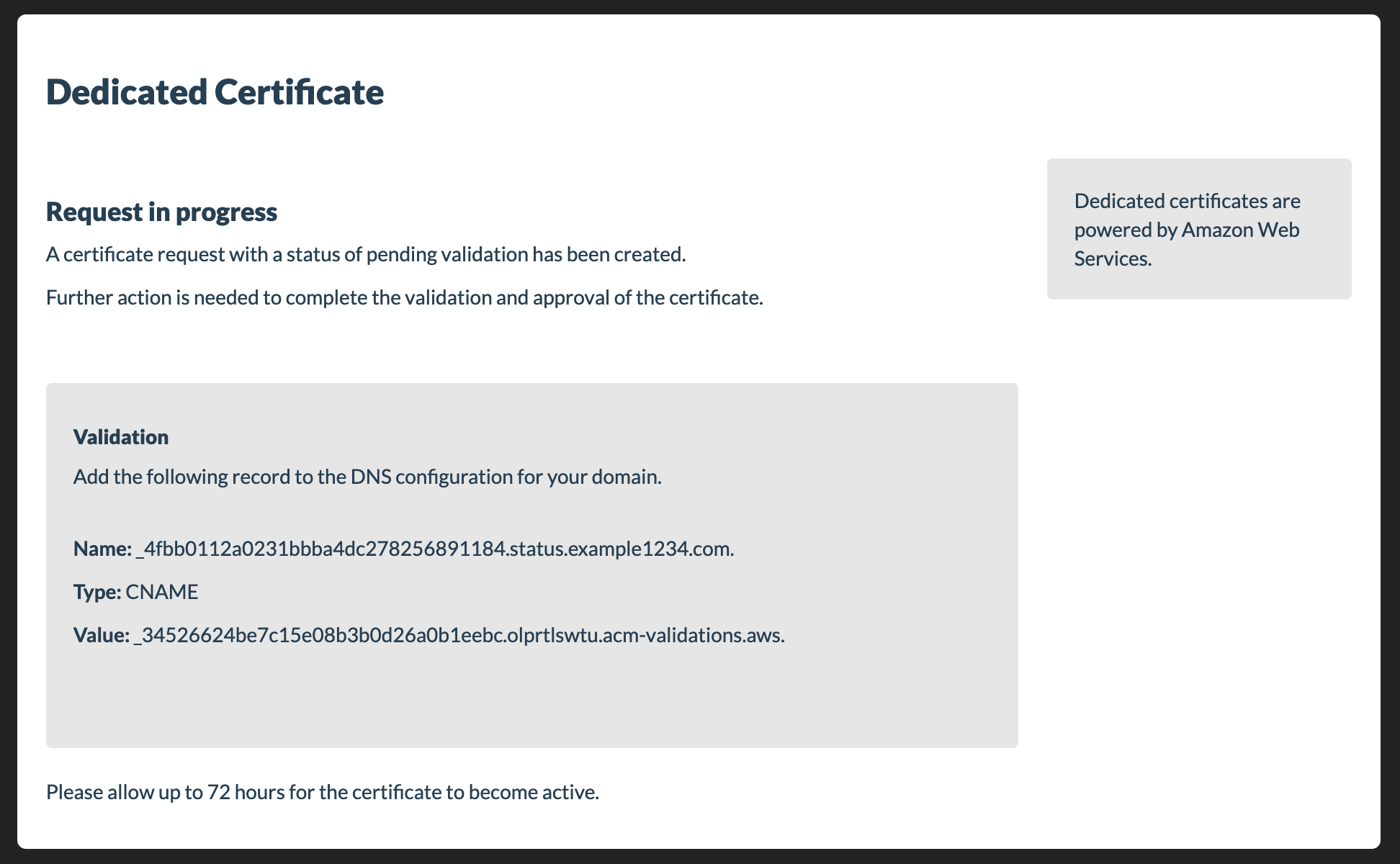
1. Request the Certificate:
• Navigate to the TLS/SSL tab in the Status.io dashboard.
• Click the Request button to initiate the process.
2. Add the DNS Record:
• A DNS record will be provided after the request.
• Add this record to your DNS zone and keep it there permanently for validation.
3. Automatic Certificate Generation:
• Once the DNS record is validated, the certificate will be generated automatically.
• No additional steps are required.
Note:
If you use Certificate Authority Authorization (CAA) records to limit which Certificate Authorities (CAs) can issue certificates for your domain, you must add a CAA record to authorize amazon.com.
Option 2: Customer-Provided Certificate
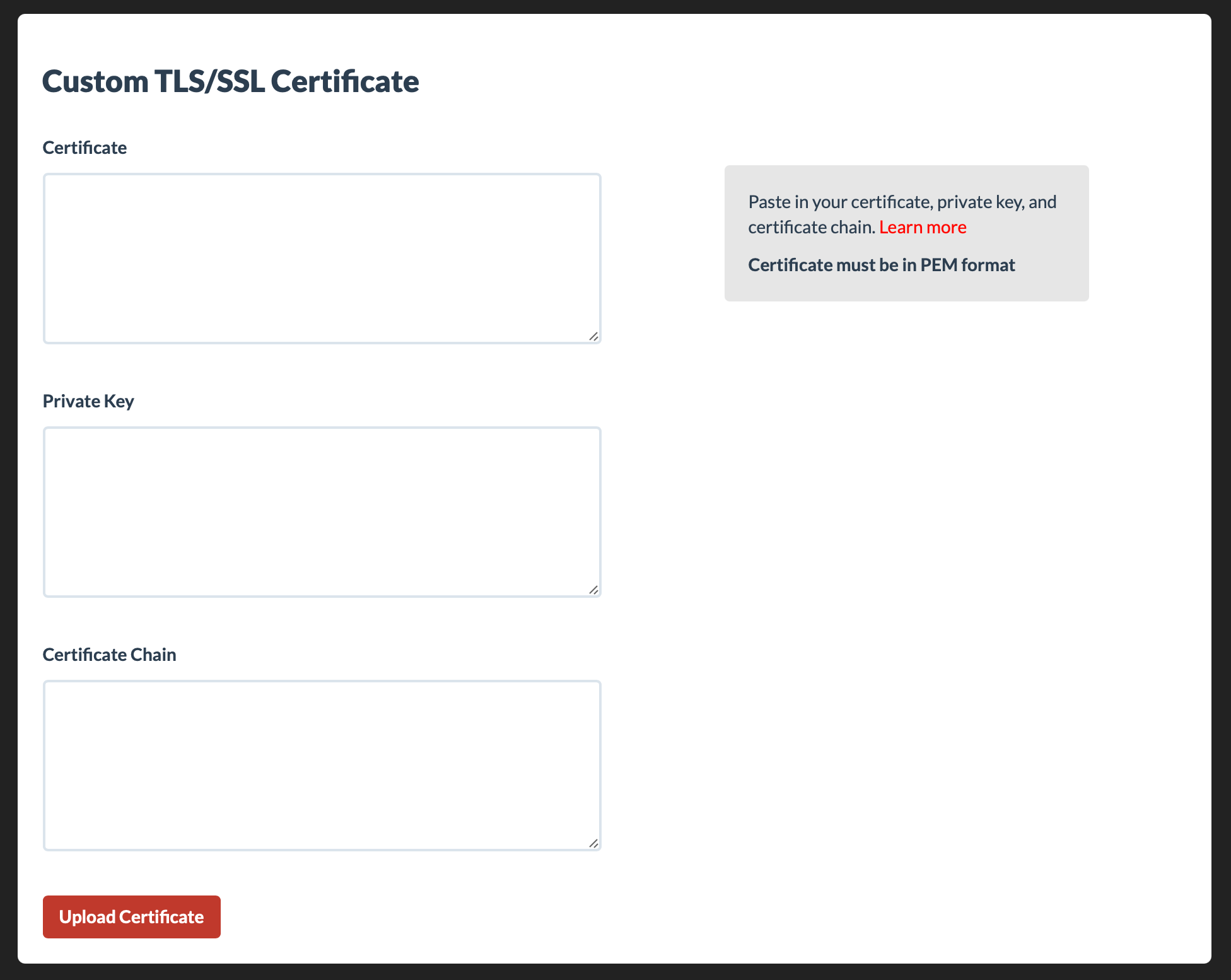
1. Upload Your Certificate:
• Go to the TLS/SSL tab in the Status.io dashboard and upload your certificate.
2. Review Requirements:
• Carefully review the certificate requirements to ensure successful SSL activation.
Certificate Requirements:
• Format:
- The certificate and certificate chain must be in PEM format.
- The private key must be an RSA private key in PEM format.
• Public Key Size:
- The public key size in the SSL/TLS certificate must not exceed 4096 bits.
- To check the size, run the following OpenSSL command:
openssl x509 -in <path_to_certificate> -text -noout
• Private Key Match:
- The private key must match the public key in the certificate.
- Use OpenSSL commands to verify the match.
• Unencrypted Private Key:
- The private key must not be password-protected.
• Certificate Chain:
- If your certificate chain is not functioning correctly, use WhatsMyChainCert to retrieve the proper certificate chain.
By following these guidelines, you can ensure a smooth SSL activation process with your customer-provided certificate.
Notes:
- TLS Version: HTTPS connections require a minimum of TLS 1.1.
- SNI Support: Status.io utilizes Server Name Indication (SNI) for managing SSL connections to status pages. SNI is supported by all modern operating systems and browsers.
Automate SSL Renewals
You can automatically renew and update your custom SSL certificate using the Developer API.
This allows you to fully automate renewals and avoid manual certificate updates in the Dashboard.
Use the admin/ssl_cert/update method to programmatically upload a new certificate and private key, ideal for integrating with your existing ACME or internal certificate automation workflows.
See the Developer Docs for full request details and examples.